
A new client has already decided to work with you. Their next question is usually practical: “What should I do before we meet?” Answer that question without repeating the public introduction. The coach intro video belongs earlier in the relationship; this message belongs in your onboarding process.
What should a welcome video for a new coaching client say?
The client’s name, what to do before the first session, what happens in it, how to reach you and when you will meet. Lightshot’s Welcome a new client template uses these lines:
Hi [their first name], welcome.
I'm really glad you're here.
Before we meet, [what to do before the first session].
In our first session, we'll [what happens in the first session].
Between sessions, you can reach me [how to reach you].
See you [when you'll meet].
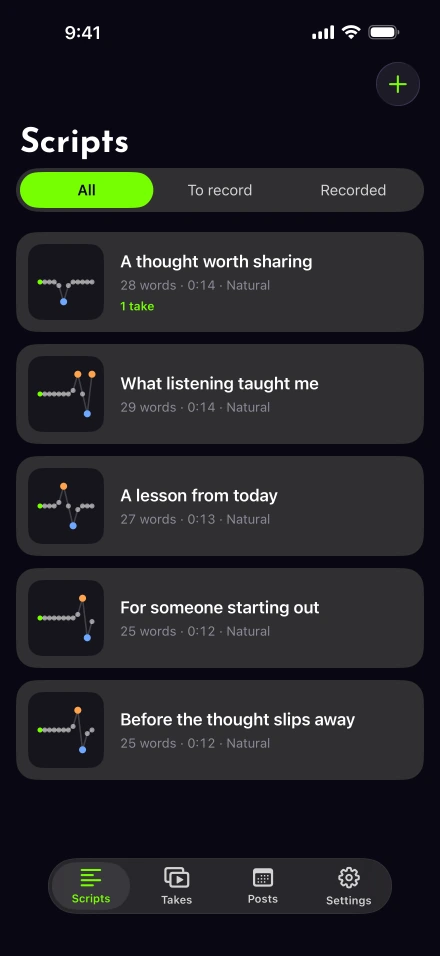
In Scripts › + › Start from a template, answer each question and choose Use the outline. The script editor retains any unanswered brackets, so check the client’s name and meeting detail before filming. This outline is available to copy even if you use another recorder.
Give instructions the client can complete
Name the exact preparation and where to find it. “Complete the short questionnaire linked in this message” is more usable than “come ready to grow.” If no preparation is required, say so directly. Do not imply the client is behind before the relationship has begun.
Describe the first session’s agenda at a useful level: perhaps reviewing priorities and agreeing on how to work together. Keep any promised service consistent with your actual agreement. Explain the contact channel and the response expectation you can meet; avoid casual wording that suggests unlimited access if that is not part of the service.
The ICF Code of Ethics addresses confidentiality across the coaching relationship. Keep sensitive history out of a welcome recording, particularly if you plan to store several videos on one phone. The coaching use-case page describes the broader workflow without turning personal onboarding into public content.
How do you personalize the welcome for each client?
Keep one general version and make a fresh copy for each person, so details never carry over from the last client.
Save the filled outline once, with no client’s name, date or link in it.
For each new client, copy that text and use Paste as new script, then add their first name, the session time and your contact route.
Rehearse the opening name and the meeting date out loud before you film.
Record, then replay the date and contact sentence before you save the file.
Set up a quiet frame using the iPhone recording checklist. Northern Illinois University’s setup guidance recommends testing sound from the position where you will speak. Check the opening name in your rehearsal so a copied script does not carry over the previous client’s details.
Use an unhurried pace around instructions and meeting information. Baruch College’s timing exercise can help you measure delivery; our timer gives an estimate while drafting. This is a welcome, so finishing before the nominal minute is fine if the person has what they need.
If you misstate a date or contact channel, redo the sentence and play it back. For clearer delivery, voice-follow mode can hold your prepared wording while you pause. It does not check whether a date is correct.
Should a client welcome video be posted publicly?
No. Send it through the private channel you already agreed with the client. Save the finished file with the export and sharing controls. If transferring the file between your own Apple devices, Apple’s AirDrop instructions explain the nearby transfer.
Put the meeting link, time zone and preparation link in the accompanying message. Before sending, open the file and confirm the intended recipient, the final spoken date and the caption spelling. W3C’s caption guidance is useful for making the spoken information available as text; written logistics still help everyone retrieve a specific detail.
Keep reusable wording separate from client details
Store the general outline without a client name, then personalize a fresh script when needed. Read Lightshot’s privacy information before choosing where to keep sensitive material. Scripts and takes remain on the iPhone, while posting sends the finished video to the posting service.
Review your saved takes and storage as part of your own retention process. If you want public educational videos too, plan them separately with the weekly recording workflow. An onboarding recording should remain focused on the person receiving it.