
Your profile already says “coach.” The video should help someone recognize whether the conversation you offer fits the situation they are in. Keep credentials accurate and explain the work in ordinary language. This is an introduction to your practice, not a promise of a client’s future results. The coaching workflow connects this introduction with later client and teaching videos.
What goes in a coach intro video script?
Six lines: your name, who you help, when they reach out, how you work together, what is different by the end, and the next step. This is the Coach intro outline in Scripts › + › Start from a template. You can use it outside the app too:
Hi, I'm [your name].
I work with [who you help].
Most of them come to me when [the moment they reach out].
Together we [how you work with them].
By the end, [what's different for them].
If that sounds like where you are, [the next step].
The template is written for about a minute, but your answers determine its real length. Use the script timer after filling the blanks. The broader script tools let you edit the wording and keep the final introduction for later revisions.
Can a coach intro mention client results?
Only results you can support, so leave out guarantees about income, health or a fixed transformation. For “who you help,” name the people you actually work with. For the moment they reach out, describe a situation rather than diagnosing the viewer. “When their new role involves leading former peers” is a situation; “when they are failing as a leader” assumes too much.
Describe how sessions work using observable actions: identifying a decision, discussing options or agreeing on the next exercise. In the “what’s different” line, state a deliverable or intended focus you can stand behind. Change the outline sentence if it would otherwise overstate your service.
The ICF Code of Ethics includes confidentiality duties. Avoid private client examples even when they seem flattering. The FTC’s endorsement guidance addresses misleading results claims; a testimonial does not remove the need to support what an advertisement implies.
How do you turn the outline into a script you can say?
Answer the template’s questions in Lightshot, then edit the result out loud until every line sounds like you.
Open Scripts › + › Start from a template and choose Coach intro.
Answer each question. A question you skip stays as a [blank] in the script, and the editor counts the blanks left.
Choose Use the outline. Draft it for me is optional, needs Apple Intelligence, and shows its draft for your review first.
Fill or delete every remaining bracket, then read the script aloud before filming.
Read the result aloud to one imagined prospective client. If a phrase belongs only on your website, replace it with the words you would use in a first conversation. Follow the spoken-script exercise and leave room for your name and closing instruction. The pace guide helps you budget those pauses; Baruch College’s speech exercise explains how to measure your own pace.
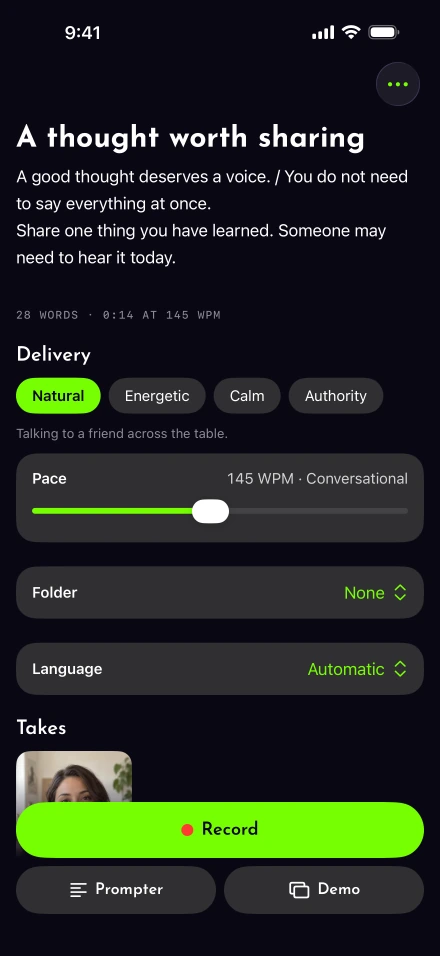
Film a calm first conversation
Use a steady frame and a background you are comfortable showing publicly. Northwestern’s recording checklist gives practical lighting and camera-height guidance. Our iPhone setup procedure covers the short sound test.
Put the current line close to the lens, then use voice-following if your iPhone supports the script’s language. A stumble is fixable: repeat the affected sentence after a pause. Judge the take by whether a stranger could understand your offer, not by whether you never blinked.
Check the invitation and the captions
Finish with a step the viewer can actually take: a page to read, a way to contact you or an invitation to request an introductory conversation. Avoid saying “the link below” if you will also use the video somewhere with a different layout.
Proofread captions for your name and any credential abbreviation. W3C’s caption overview explains why meaningful audio requires more than unreviewed automatic text. Use export help to save the version for your profile.
Once someone becomes a client, the useful message changes from “who I help” to “what happens next.” Record a separate client welcome video for that moment instead of sending your sales introduction again.