
Representative scenario, not a customer story
Consider a career coach with a useful newsletter about preparing for a difficult conversation. A prospective client has asked what working together feels like. The coach sets aside an evening for an introduction, presses record, and suddenly starts explaining the entire practice instead of answering that question.
What should a coach intro video say?
Who you work with, what a first session involves and how to take the next step, said to one person rather than to everyone. The difficulty in this scenario is choosing what to leave out. A camera gives no puzzled look, follow-up question or pause to respond to. Repeatedly adding qualifications makes the introduction harder to finish, while abandoning the careful wording feels uncomfortable.
Start with a paragraph from the newsletter that already sounds like you. Write the question it answers above it. The coach introduction outline helps separate who you work with, what a session involves and the next step. Keep the explanation modest enough that someone could repeat it accurately afterward.
Can a coach use a client’s story in a video?
Not without the right permission, so a clearly hypothetical example is the simpler choice. A public introduction can explain a process without disclosing a session. The ICF Code of Ethics sets confidentiality expectations for ICF professionals.
Leave promised earnings, client numbers and health outcomes out of the pitch. The FTC’s notice about false money-making claims includes business-coaching marketing. This page concerns recording, not evaluating the claims or professional obligations of your practice.
How do you get a written post onto the teleprompter?
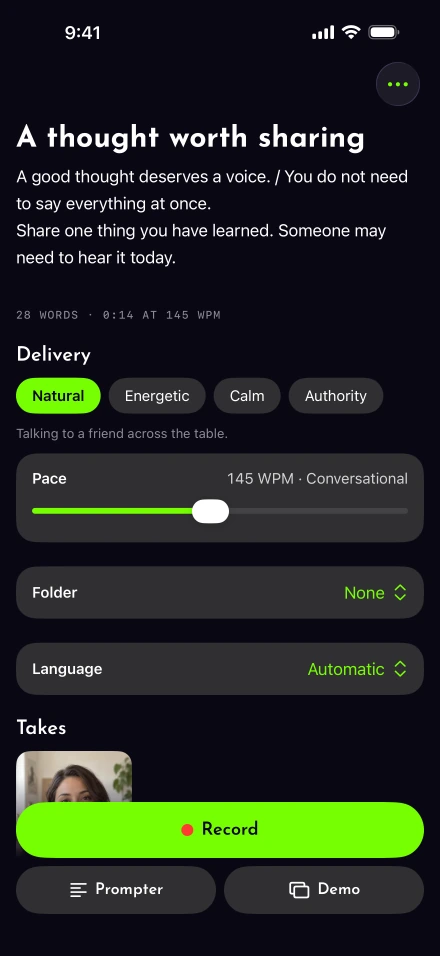
Paste it or import the file, trim what only works on the page, and read it aloud once. Lightshot’s script tools take pasted text or an imported file, PDF and Word included, though a scanned PDF is not readable text. The Coach intro template gives a different starting point when the newsletter needs too much rewriting.
With voice-following enabled, the prompter advances through your prepared words and settles on the next unread word during a pause. Check the speech languages on your iPhone first. Apple describes the underlying on-device speech recognition; that is not a promise that every accent or hesitation has been tested.
When the introduction turns into an aside, return to its wording. Use Redo the last sentence when that sentence needs replacing. It cuts back and rewinds the script, so play the join in review rather than assuming it landed exactly where you intended.
Keep the welcome separate from the public introduction
A welcome for a new coaching client has another job: explain preparation and what happens next. Keep private details out of a reusable welcome. Lightshot’s privacy information distinguishes local scripts and editing from the upload required for posting.
For a weekly public thought, correct the captions before publishing. W3C’s caption guidance includes meaningful sounds as well as speech; automatic speech text alone does not establish accessibility. If LinkedIn is the destination, its post-writing guidance and our dated LinkedIn video guide help you prepare the accompanying text. Lightshot’s direct route is the member feed, subject to connection availability.
Define a useful finish before starting another take
For the coach in this representative scenario, the intended finish is one introduction that explains the session and a separate welcome that answers the preparation question. Neither depends on a view count. Watch each once for meaning and once for the captions, then decide whether it says what you meant.
Compare the paid plans before choosing the recording setup. If your main task is teaching lessons or announcing a product, the other audience workflows address those different jobs.