
A week of videos means the number you intend to publish that week, not a required daily quota. Choose a manageable set before you turn on the camera. For a coach, that might be one common question, one practical exercise and one explanation of how sessions work. Do not split one thin idea into several clips just to fill days.
How do you plan a week of videos?
Give each video a different job. Write the viewer’s question above each draft. If two drafts answer the same question with the same example, combine them. The coaching video workflow includes introduction and welcome messages, but those need not become recurring public posts. A profile introduction can stay useful without being filmed again every week.
Choose one point and an example you can explain without exposing a client. The ICF confidentiality standards are relevant even when you remove a name: surrounding details can still identify a person. Use a clearly labeled teaching example when you do not have permission for a real story.
What goes in a weekly post video?
A problem your viewers keep running into, what you notice, a short example, the idea to take away, one thing to try and a question. The app’s Weekly post template is written for roughly 90 seconds. Its actual outline is:
[A problem the people you help keep running into.]
Here's what I notice when that happens: [what you notice].
Recently, [a short example, with no private details].
What helped was [the idea to take away].
If you try one thing this week, [one small thing to try].
[A question for the people watching?]
Choose it in Scripts › + › Start from a template. If “Recently” would imply a real event you cannot substantiate, rewrite that sentence as an explicit hypothetical. Keep the value of the example without inventing a client story.
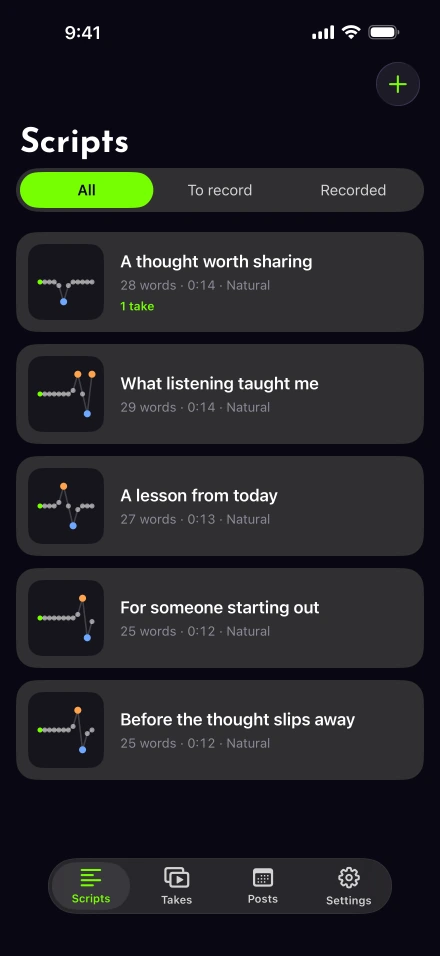
Save each finished draft in your scripts library with a descriptive title. Time it with the script timer, then rehearse aloud. Baruch College’s speaking-rate exercise is more useful than assuming every filled template takes exactly its nominal length. For shorter clips, use the one-minute structure.
How do you keep a batch of videos consistent?
Keep the camera position, light and microphone the same for the whole session, and check a sample before the rest.
Check battery, storage and the microphone, then record a sample from your final position.
Film the easiest prepared script first. Listen to it before committing to the rest of the session.
Work through the remaining scripts one at a time. Keep a clear note of which take you intend to use.
Stop for a break when your speech or concentration changes. Finishing fewer understandable videos is better than keeping a tired take because it was on the list.
Apple’s storage instructions show where to check the phone’s remaining capacity. Northwestern’s recording guidance covers the light and camera-height basics. Our recording setup guide brings those checks together.
Use sentence retakes for local mistakes. Avoid restarting a good opening merely because the final line went wrong. If window light changes noticeably, finish the current video and reassess before starting the next.
What if you only have half an hour?
Make one video instead of a batch. When you have only a short opening in the week, pick one already chosen question. Spend the first part of the session filling a brief outline, the middle making a rehearsal and a take, and the remainder checking the file. This is a way to allocate your time, not a claim about how fast the app processes video.
Leave other ideas as script titles with one note each. Your next session can begin there. Keep private client welcome videos in a separate workflow so you do not accidentally treat a personal message as a scheduled public post.
Edit and schedule only checked files
Apply Auto edit with a tap if it suits the take, then verify the spoken content and caption spelling. W3C’s caption guidance explains why automatic text needs review. Make sure each opening identifies its own subject; a viewer may encounter the clips out of order.
Use posting and scheduling for the networks you can connect in Settings › Connected accounts. Availability depends on platform approval. A scheduled item is not yet a published one; check its status afterward. For LinkedIn, confirm the current format and upload rules before choosing a large export.