
A short video becomes difficult when the script is carrying an introduction, an origin story and five pieces of advice. Decide what a viewer should understand after this one clip. Save the second useful idea for another video. The guide library has separate outlines for introductions, welcomes and launches because those videos ask different things of the viewer.
Write the job of the video in one sentence
For a teaching clip, your brief might be: “Help a new manager ask a clearer question at the start of a meeting.” That is narrower than “explain better communication.” It gives you a way to judge every line: does this sentence help that manager ask the question?
Choose the ending now. If you want the viewer to try an exercise, do not finish by asking for a call, a comment, a follow and a download as well. An introduction may need a contact step; the coach intro outline handles that job. A product release needs a different sequence, covered in the founder launch script.
What structure works for a 60-second video script?
Four parts: a recognizable moment, the point, a concrete example and one next step.
Open on a recognizable moment: “When a meeting starts with ‘Any updates?’, I often do not know which update matters.” Use an observation you can support.
State the point: “Try asking what decision the group needs to make before the meeting ends.”
Make it concrete: “For a project check-in, that might be whether to change the deadline or reduce the scope.” Label an invented teaching example as an example; do not present it as a client result.
Close with an action: “Write that decision at the top of your next agenda.”
These are sample lines for a teaching structure, not a testimonial or a claim about a real team. Expand only where the viewer needs a missing explanation. You do not have to occupy every second of the minute.
How long should a 60-second script be?
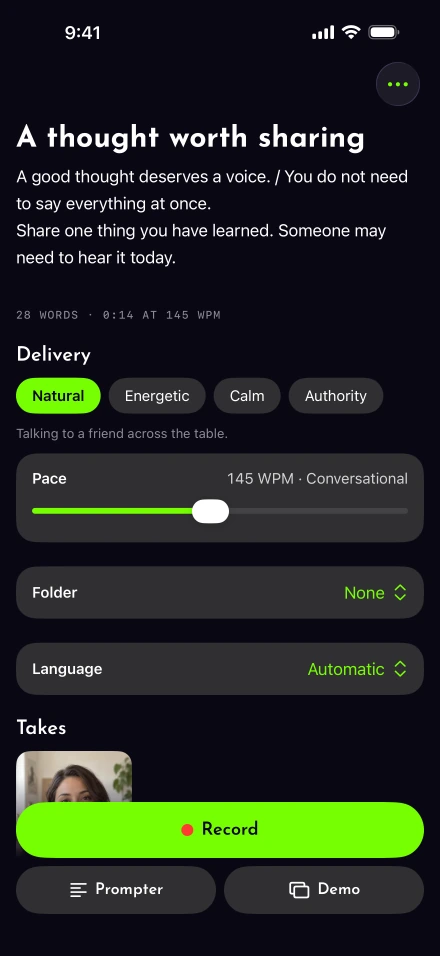
At 150 words per minute, 60 seconds can contain 150 continuous words. If you want ten seconds for breathing and a visible example, plan around 125 words instead. Enter the draft in the script timer, then record an aloud rehearsal to check it.
Baruch College’s pace guidance is a useful reminder to prioritize clarity. Research on oral reading rates measures a different task from explaining something naturally to a camera. Our WPM guide separates those research figures from practical word budgets.
Cut the weakest sentence before increasing speed. Remove the apology, the repeated setup and the second example. Keep names or numbers the viewer actually needs, and give those words time.
Turn the draft into spoken sentences
Paste it into a new script and read it in your ordinary vocabulary. Change “in order to” to “to” where the meaning survives. Put a sentence break where you would naturally reset. The spoken-delivery guide explains how to rehearse without locking yourself into a recitation.
Lightshot can add delivery cues and lets you change them by hand. Optional template drafting needs Apple Intelligence; Apple’s Foundation Models documentation describes that model framework. You can write and use an outline without it. Check device requirements before planning around an optional feature.
Keep private details and customer claims out of a sample unless you have permission and evidence. If an endorsement belongs in the video, the FTC’s endorsement guidance explains the issues to consider; a convincing line is not a substitute for a truthful one.
How do you know the script is finished?
When you can film it without the same line tripping you up. Rehearse once with the prompter following your words, then film. A line that repeatedly trips you up probably needs rewriting. Use a sentence redo after correcting it instead of repeating the same awkward wording.
Inspect the captions before exporting. DCMP’s caption guidance favors readable text that does not hide essential visuals. If the words cannot be read comfortably at your chosen pace, the script may still be too dense. Keep the final text so the next related clip starts from a clear boundary rather than repeating this one.