
Checked September 27, 2026. These are organic video-upload rules, not advertising specifications. A file accepted by the LinkedIn app may still exceed a third-party app’s validation. This guide separates those paths so a warning does not send you back to record the whole video unnecessarily.
Uploading directly in LinkedIn
LinkedIn’s video-sharing help page gives the following requirements for member uploads:
| Requirement | Published value |
|---|---|
| Duration | Up to 15 minutes; minimum 2 seconds in the mobile app, 3 seconds on desktop |
| File size | 75 KB to 5 GB |
| Dimensions | 256 × 144 to 4096 × 2304 |
| Aspect ratio | 1:2.4 to 2.4:1 |
| Frame rate | 10 to 60 fps |
| Bit rate | 192 Kbps to 30 Mbps |
| Formats | MP4 and MOV are among the listed supported formats |
LinkedIn also warns that iPhone uploads may stall when its app goes into the background, and says the video must be available in local phone storage rather than only in iCloud. Keep the app open through upload and check the file is downloaded first. Leave important text away from the frame edges, where interface controls can cover it.
The Videos API is a separate route
The high-level specifications in LinkedIn’s Videos API documentation say MP4, three seconds to 30 minutes, and 75 KB to 500 MB. The same page’s upload schema also mentions a 5 GB maximum. That official documentation is internally inconsistent on file size; do not treat the larger schema value as a promise that every integration accepts it.
Lightshot’s direct-posting checks use three seconds to 30 minutes, up to 500 MB, and an aspect ratio between 1:2.4 and 2.4:1. Those are the app’s coded limits. They do not change the consumer upload rules in the table above. See how direct posting works and account connection requirements before selecting this path.
Lightshot posts LinkedIn video to your own member feed. It does not post to company Pages. LinkedIn’s Posts API documentation describes organization permissions and roles, but those capabilities are not a feature of Lightshot.
Prepare a file for the destination
For an ordinary talking video, a 1080p export is a practical starting point. Inspect the image and the file size rather than assuming a short video is always small enough. The export controls explain the available shapes and resolution options.
Apple’s HEVC compatibility guide distinguishes HEVC from H.264 and explains that transfers can change the format. A file extension alone does not tell you everything about the encoded video. If LinkedIn rejects a file, check both its format and the route-specific limits before reducing its length.
Keep the spoken message focused using the short-script structure. Proofread captions and keep them off essential visuals. W3C’s caption overview explains the distinction between open captions in a video and optional closed captions; do not assume text burned into your export creates a separate caption track.
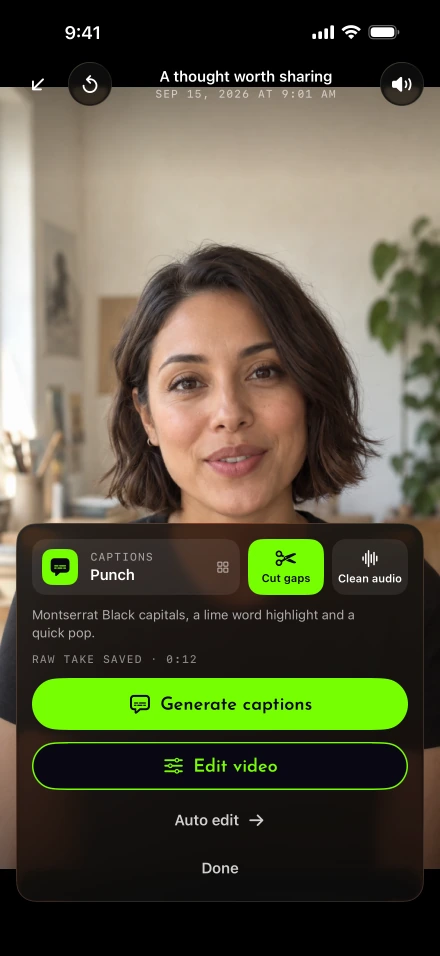
Post from your iPhone
Save the final file to Photos using the export instructions. Play it once to check the beginning, ending and crop.
For a direct LinkedIn upload, start a post in LinkedIn, select the local video and review its preview. Keep LinkedIn open while it uploads.
Write accompanying text that adds context instead of repeating every spoken line. LinkedIn’s post guidance lists a 3,000-character post limit.
Check audience and publish or use the scheduling controls available in LinkedIn. Return to confirm the resulting post.
Alternatively, use Lightshot’s Post or schedule with the networks you can connect in Settings › Connected accounts. Availability depends on each platform approving Lightshot. Its LinkedIn composer has a separate paragraph caption, so a shorter caption for another destination need not replace it.
Why the Share warning can disagree
The app’s older Share-destination check warns above ten minutes for LinkedIn, and still did when we read the app again on October 9, 2026. That is lower than LinkedIn’s current consumer limit and separate from Lightshot’s direct-posting validation. A 12-minute video may therefore receive a Share warning even though it fits LinkedIn’s published consumer duration rule. Save the file and use LinkedIn directly if that is the appropriate route. The social video specs guide sets LinkedIn beside TikTok, Instagram, YouTube, X and Facebook, for both routes.
Before filling a weekly schedule, test one finished batch-recorded video. If the problem persists, use support with the attempted route and warning text. The other recording guides can help shorten or reframe the content if the destination genuinely requires a different file.