
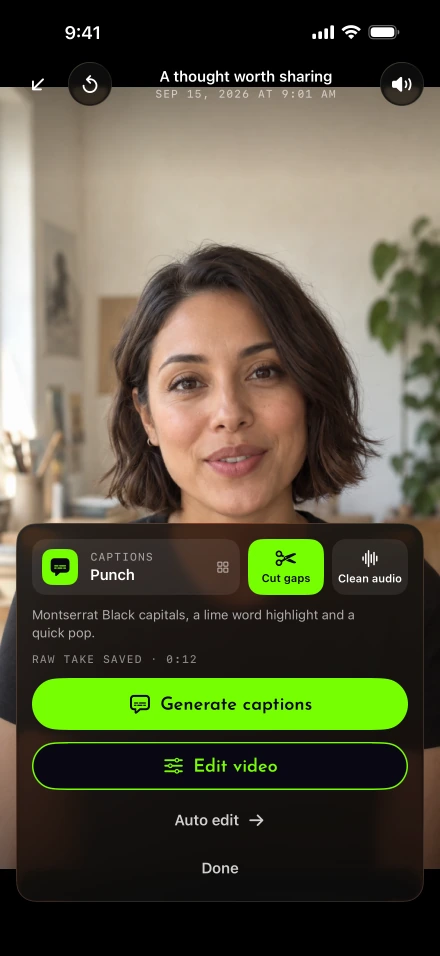
The recording can be finished while the post still needs a title, a caption and the right audience. Lightshot brings those choices next to the completed video, with status in the Posts tab afterward. This is the publishing part of the app’s script-to-video workflow; it begins after you have reviewed the exported file.
Which networks ca Lightshot post to?
The ones listed in Connected accounts on your iPhone, out of five integrations built for direct posting. Open Settings › Account › Connected accounts. The choices shown there depend on the server configuration and each platform’s approval of Lightshot. A built integration does not mean every user can connect it today. Follow the account connection guide and read any testing or private-post notice before preparing a public release.
The Instagram integration is for Business or Creator accounts, consistent with Meta’s professional-account requirement. Facebook publishes Reels to a Page you manage; Meta’s Reels publishing documentation specifies that Page route. Personal Instagram accounts, Facebook profiles and Facebook groups are not destinations for these integrations.
LinkedIn reaches your own member feed, not a company Page. The LinkedIn Videos API has separate limits from member uploads in LinkedIn’s app; the LinkedIn video guide explains the difference. YouTube targets your channel and TikTok your account, when those connections are available. Use Share for X and other destination apps.
Prepare the text for each destination
Tap Post or schedule from review and choose the connected destinations. Read the accompanying text as a post, rather than assuming the spoken script can be pasted unchanged. LinkedIn has its own caption, preserving paragraphs up to 3,000 characters while leaving the shared caption untouched.
YouTube needs a title and an answer about whether the content is made for children. Its video documentation specifies title and description fields, and its made-for-kids guidance explains the audience decision. Lightshot asks for that answer; it does not determine the classification for you.
For TikTok, choose who can watch and complete the content-disclosure fields when applicable. TikTok’s sharing rules require private visibility for unaudited integrations. Lightshot’s YouTube posts also stay private until verification; the composer explains that you can manage their visibility in YouTube Studio. Meta or TikTok test-mode connections may be limited to test accounts.
Resolve file limits before uploading
The composer checks the movie’s length, size and caption fields before transfer. The effective limit is the stricter of Lightshot’s upload limits and the selected destination’s rules. As checked September 27, 2026, Lightshot’s server accepts files up to 4 GB and 60 minutes, even where a network itself allows more.
The current direct-post checks include Facebook Page Reels from 3 to 90 seconds, Instagram from 3 seconds to 15 minutes at up to 300 MB, and LinkedIn from 3 seconds to 30 minutes at up to 500 MB. TikTok uses the creator-specific maximum, with a 10-minute fallback when that value is unknown. These are direct-post checks, not universal limits for every route into those apps.
If a clip is too long, return to the editor and cut a complete thought rather than an arbitrary last second. Check caption placement after changing the shape. The sharing help page covers the separate Share route, whose warnings do not block the handoff.
How far ahead can you schedule a post?
Up to 30 days ahead, and no sooner than 10 minutes from now. After upload and scheduling complete, the iPhone can be off. An approved YouTube scheduling connection can receive the private video in advance; other scheduled destinations are handled by Lightshot’s server when due. Network access must remain valid, and provider processing or service interruptions can delay publication.
An unfinished upload is different. Transfer can continue for a while in the background and resume when the app returns, so inspect Posts instead of assuming that closing the composer completed it. Upcoming and Posted show states including Uploading, Processing, Scheduled, Posted, Didn’t post and Cancelled, with links for published items. A batch session should end with that status check.
Check the result before trying again
If a post says Lightshot could not confirm publication, inspect the destination account before tapping Try again. A network may already have accepted the video. Lightshot stops automatically repeating an uncertain publishing request, but a manual retry can create a duplicate. For YouTube, check YouTube Studio as well as the status in Lightshot.
Allow notifications and choose Posts going out in Settings to receive notices when a post goes live or cannot go out. Notices depend on the posting service and notification delivery; the Posts tab remains where you inspect each destination’s result.
If your subscription ends, you can still open Account and Manage posts & connections while signed in to cancel pending posts or disconnect a network. A video already handed to a provider may still publish, so check the outcome there. Published posts stay on their networks.
Does posting upload the video to Lightshot’s server?
Yes, because the server does the posting, and it deletes the video once every destination has finished. Publishing uploads the exported video once per file for its chosen destinations. A separate-shaped export is another file and becomes a separate post. The server removes uploaded video after destinations finish, with the retention limits described in the privacy policy. Scripts and local editing work remain on the phone.
Direct posting requires a signed-in account with an active subscription. For a planned launch, confirm the connection, visibility and completed upload before treating a scheduled time as the end of the work.