
Checked dates
The platforms’ pages were checked on September 27, 2026. Lightshot’s numbers were read from the app on October 9, 2026. Lightshot’s numbers are what it checks before a video leaves the app, not the platforms’ rules: where the two differ, this page says so, and the platform’s own page wins.
Why are there two sets of numbers?
A finished take can leave Lightshot two ways. Share hands the file to the other app’s own extension; Instagram alone opens straight into its composer once the clip is saved to Photos. Before the hand-off, Lightshot checks length, shape, size and caption length and shows warnings, some with a Reframe or Trim button, but never stops you. The export help walks through it.
Posting from Lightshot goes through Lightshot’s server, which uploads to each network through that network’s developer API. Those interfaces set their own limits, so Lightshot tests a clip against the server’s exact numbers before uploading, and anything the server would refuse is flagged first. The networks you can connect are listed in Settings, Connected accounts; each network has to approve Lightshot, and TikTok and YouTube posts stay private until their reviews pass. Posting and scheduling covers what each network reaches.
Direct posting limits
| Network and where it posts | Length | Largest file | Frame | Caption limit (how it’s counted) | Other checks |
|---|---|---|---|---|---|
| TikTok: videos on your account | 3 s to the creator’s own maximum, never over 10 min | 4 GB | 9:16 preferred; longest side up to 4,096 px | 2,200 (UTF-16 units) | Who can watch has no default; only “Only me” until TikTok’s audit passes |
| Instagram: Reels on a Business or Creator account | 3 s to 15 min | 300 MB | 9:16 preferred, 4:5 and 1:1 fine; up to 1,920 px wide | 2,200 (Unicode code points) | Up to 30 hashtags and 20 @mentions |
| YouTube: Shorts and videos on your channel | Up to 12 h; over 3 min, or landscape, posts as a regular video | 256 GB | 9:16 preferred, 1:1 fine | Title 100 (code points, required); description 5,000 (UTF-8 bytes) | No < or > in title or description; “made for kids” must be answered |
| LinkedIn: videos on your own feed | 3 s to 30 min | 75 KB to 500 MB | Aspect 1:2.4 to 2.4:1 | 3,000 (Unicode code points) | None |
| Facebook: Reels on a Page you manage | 3 s to 90 s | 1 GB | 9:16 only, at least 540 × 960 | No Lightshot limit | Audience fixed at Public |
| X | No direct posting; use Share | ||||
Whatever the network, Lightshot’s server takes files up to 4 GB and 60 minutes. Lengths have no slack: a 90.2-second video is over Facebook’s 90.
These match the platforms’ developer pages we checked: TikTok’s media transfer guide (10 min, 4 GB, 4,096 px a side), Instagram’s media reference (3 s to 15 min, 300 MB, 1,920 px wide, 2,200 characters, 30 hashtags, 20 @ tags) and Meta’s Reels publishing guide (3 to 90 s, 9:16, at least 540 × 960, Pages only). Meta’s guide states no file-size limit, so the 1 GB is Lightshot’s own. YouTube’s 12 h and 256 GB come from YouTube Help’s upload page, its title and description limits from the YouTube Data API, and LinkedIn’s 30 min and 500 MB from its Videos API; the LinkedIn video specs guide explains why LinkedIn’s own app allows a different range.
What Share warns about
| App | Full-screen shape (also fine) | Longest video Lightshot checks | Largest file or frame | Text limit (how it’s counted) | What the platform’s page says |
|---|---|---|---|---|---|
| TikTok | 9:16 | 60 min | Longest side 4,096 px | 4,000 (UTF-16 units) | API: 10 min, 4 GB, 2,200 characters. The app’s own limits couldn’t be confirmed on an official page |
| Instagram Reels | 9:16 (4:5, 1:1) | 3 min | 1,920 px wide | 2,200 (code points) | API: 3 s to 15 min, 300 MB. The app’s own length couldn’t be confirmed on an official page |
| YouTube Shorts | 9:16 (1:1) | No cap: over 3 min, or landscape, posts as a regular video | None set | Title 100 (characters) | Square or vertical up to 3 min is a Short; title 100 characters |
| X | Any shape from 1:2.39 to 2.39:1 | 2 min 20 s | 512 MB | 280 (emoji and most non-Latin characters count 2) | Default accounts: 0.5 s to 20 min and 8 GB; aspect 1:3 to 3:1; 140 s and 512 MB apply to direct messages |
| Any shape from 1:2.4 to 2.4:1 | 10 min | 5 GB | 3,000 (code points) | Member uploads: up to 15 min, 75 KB to 5 GB; posts 3,000 characters | |
| Facebook Reels | 9:16 (4:5, 1:1) | None set | None set | 2,200 (characters) | Reels API: 3 to 90 s. The app’s own limits couldn’t be confirmed on an official page |
Each of these is advisory. If a platform has since raised a limit, the warning is stricter than the platform, and you can go ahead regardless.
Where Lightshot and the platforms disagree
X is the clearest case. X’s media best practices give a default account 0.5 s to 20 min and 8 GB per post, more for Premium and verified accounts, and keep 140 s and 512 MB for direct messages only. Lightshot’s hand-off check still uses 2:20 and 512 MB, so it can warn about a 3-minute clip X would accept.
LinkedIn’s help page allows members 15 min and 5 GB, above the 10 min Lightshot’s hand-off check uses. Instagram’s API takes 15-minute Reels where that check warns past 3, and TikTok’s API stops at 10 where the check allows 60 for the TikTok app. We couldn’t read Instagram’s or TikTok’s in-app limits on an official page, so they aren’t stated here.
How does each platform count caption characters?
The same text can be over the limit on one network and fine on another, because they count differently. Lightshot counts each one the way that network does:
- TikTok counts UTF-16 units, so most emoji use two or more.
- Instagram and LinkedIn count Unicode code points, so ❤️ counts as two and the Hindi word नमस्ते as six.
- YouTube limits titles to 100 code points through its API, and descriptions to 5,000 bytes of UTF-8, where an accented letter takes two bytes and many emoji four.
- X weighs characters: X’s counting page says emoji and Chinese, Japanese and Korean characters count as two, so 280 can mean far fewer characters in those scripts.
- Facebook’s Share check counts plain characters, and direct posting to Facebook sets no caption limit.
When Lightshot suggests a caption, it starts from the script’s own opening and cuts it at a word boundary, adding nothing; LinkedIn’s keeps paragraph breaks. You can edit it for each network. Write it to add something the clip doesn’t say; the 60-second script guide helps keep the spoken part short.
Which shape suits which network?
For TikTok, Reels, Shorts and Facebook Reels, 9:16 fills the screen. Instagram and Facebook also show 4:5 and square well, and a square video still posts as a Short. X and LinkedIn take a range of shapes instead of a preferred one. YouTube Help’s Shorts page says a wider shape, such as 16:9, keeps an upload out of Shorts.
Lightshot’s Canvas tool sets 9:16, 4:5, 1:1 or 16:9, fitted with a blurred, black or white fill, or filled. On export, extra shapes are saved as separate files framed on your face, and the share sheet picks the right one for each app.
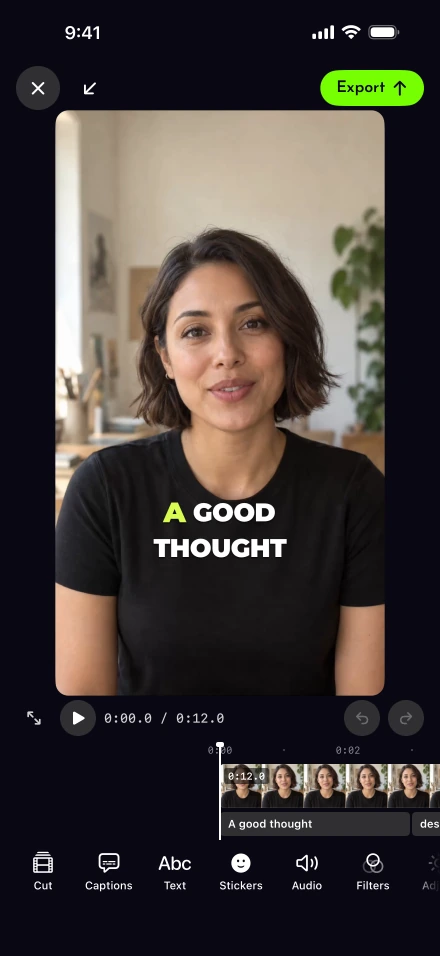
Prepare one video for several networks
Set the canvas to 9:16 for TikTok, Reels, Shorts and Facebook Reels, and add 16:9 as an extra shape if it will also go to YouTube as a regular video.
Export at 1080p if it’s going to Instagram, which takes frames up to 1,920 pixels wide; 1080p shrinks a larger recording and never enlarges it.
Read any warnings before sharing. Where the editor can help, a Reframe or Trim button opens it on the tool that changes the problem.
To post from Lightshot, connect each network first; connecting accounts lists the account types each accepts. Check your captions once more, because a burned-in caption isn’t a separate caption track.
Lightshot is paid only, with every feature on each plan; see pricing. If you’re still choosing an app, the iPhone teleprompter comparison covers which ones post or share.