
Use words per minute to size a draft, not to grade your voice. A familiar story, a technical explanation and a new name need different amounts of space. Our recording guides separate writing, rehearsal and camera setup because a fast read cannot fix a script with too many ideas.
How many words fit in a 60-second script?
About 150 at 150 words per minute. The calculation is seconds × words per minute ÷ 60. The table is arithmetic, not a finding that everyone should speak at these rates. It excludes pauses, demonstrations and title cards. Our script timer lets you try the same calculation with your draft.
| Video length | 130 WPM | 150 WPM | 170 WPM |
|---|---|---|---|
| 30 seconds | 65 | 75 | 85 |
| 60 seconds | 130 | 150 | 170 |
| 90 seconds | 195 | 225 | 255 |
For example, reserving ten seconds of a one-minute video for pauses leaves 50 seconds of speech. At 150 WPM that is 125 words. This is a more useful starting budget for a deliberate explanation than writing 150 words and speeding up at the end. See the 60-second writing guide for a structure that fits.
What is a normal speaking rate for video?
There isn’t one right number for video, and published figures measure different things. Baruch College’s Tools for Clear Speech suggests roughly 140 WPM for its learners, slightly below its stated conversational average. That is teaching guidance, not a universal video optimum.
Brysbaert’s reading-rate meta-analysis reports an average oral reading rate of 183 WPM across the studies it examined. Reading a passage aloud is different from explaining an unfamiliar process with expression. Do not substitute silent reading speed for speaking speed.
A 2012 study of radio news delivery discusses radio recommendations around 160–180 WPM. The Journalist’s Resource summary of later radio research describes a different task and audience. Neither establishes the best speed for your own iPhone video. Use these sources as context, then test understanding with the actual message.
How do you measure your own words per minute?
Read a passage like your script aloud, time it, then divide the word count by the seconds and multiply by 60.
Write a passage similar to the video you need to make. Include its technical terms rather than testing a much easier subject.
Read it aloud at a comfortable pace with the pauses you intend to keep. Time from the first word to the last.
Divide its word count by elapsed seconds and multiply by 60. A 120-word passage delivered in 55 seconds averages about 131 WPM, including pauses.
Replay it or ask someone to summarize the main point. If the explanation is hard to follow, simplify the wording before changing the speed.
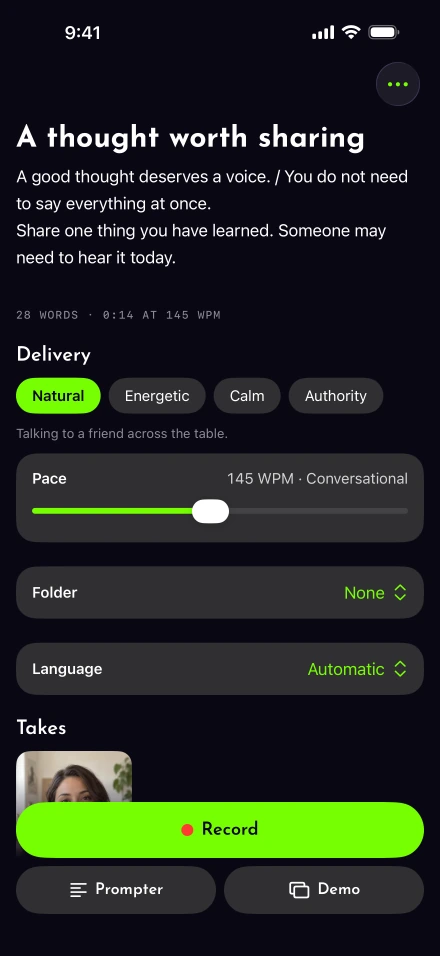
The script editor shows word count and a pace-based time estimate. Voice-follow mode uses your spoken words to move the script; WPM remains a starting rate and coaching target. With voice-follow off, auto pace is a timed scroll. These are different controls, so changing the target does not force your natural voice to match it.
Slow the information, not every syllable
Leave a pause after a number or instruction. Break a long sentence before its example. The spoken-script exercise helps identify phrasing that makes you hurry. If you repeatedly trip over the same clause, redo that sentence after simplifying it.
Caption readers need time too. DCMP’s educational captioning guidance gives different reading-rate limits for different educational levels. Those caption standards are not speaking targets, but they are a reason to check your caption presentation with the sound off.
Plan the pace for the job
A coach introduction needs room for a viewer to recognize their situation. A screen demonstration needs pauses for visible actions. Choose a draft length around those needs instead of forcing both into the same speed.
After recording, trim unhelpful waiting carefully. Keeping a useful breath may communicate more than filling its second with another claim. When the video is too long, remove the least necessary idea first.