
Representative scenario, not a customer story
Imagine a software founder on launch week. The demo workspace is ready, but every attempted recording drifts into the roadmap. One take has a good explanation and the wrong click; the next has the right click and a long silence. The recording deadline begins to compete with the release checklist.
Choose one job the release already does
The pressure here is factual as much as presentational. A founder knows the feature being built next and can accidentally describe it as shipped. Draft the demonstration around a task someone can complete in the version available today. Separate promises from observations before opening the camera.
The founder launch guide gives the announcement a beginning and a close. Reserve most of the explanation for the action on screen. A viewer should be able to identify the starting state and the result without understanding your entire product architecture.
How do you record a product demo with your face in it?
Screen-record the task first, then narrate over that recording in a demo take. Use iPhone screen recording to capture the task. Clear private customer data from the demonstration workspace beforehand. For a Mac product, transfer its recording to the phone with AirDrop. Lightshot takes an existing video; it does not capture the screen itself.
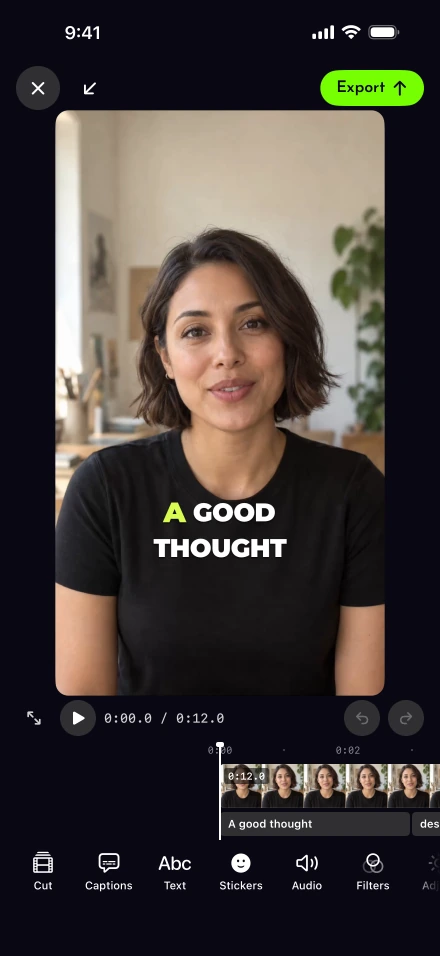
Open Demo from the script editor, choose that video from Photos or Files, and trim the useful stretch. The narration walkthrough covers placing your face in a bubble, split screen or cutout. Keep the presenter away from the button the viewer needs to see.
For this launch, put product names and the exact task sequence into the Product demo template. Review every drafted line yourself, including any optional Apple Intelligence rewrite. The app cannot verify whether an advertised feature exists in your release.
What if the narration runs longer than the screen recording?
The last screen frame holds until you finish speaking. A loading indicator, menu transition or confirmation screen may need room in the explanation. Demo takes retain the screen sequence: silence cutting and zoom-at-cut effects are skipped. Record a short timing rehearsal before committing to the full explanation.
If the whole narration needs another attempt, Restart narration retains the screen recording and discards the narration. In the editor, the Presenter controls can move and resize the face placement. Demo exports keep Original resolution. Check any additional crop for interface details or small text cut off at the edges.
Ca Lightshot post a launch video to a LinkedIn company Page?
No. A founder’s personal LinkedIn post and a company Page update are different destinations, and Lightshot’s direct posting is built for your own member feed. The networks you can connect are listed in Settings, Connected accounts; the connection help explains how to check. LinkedIn’s own upload guidance covers its separate native upload route. Connection availability is subject to platform approval.
For a deck-led explanation, presenting slides as a video describes importing an exported deck; that route has not been tested end to end. Use a saved export when a teammate needs to review the exact file before release.
Do not turn this launch workflow into a scripted YC application video. Y Combinator’s instructions ask for founders speaking from bullet points, with the product demo submitted separately. If the launch includes an endorsement, check the FTC’s endorsement guidance before using the person’s words or relationship as proof. Sources checked September 27, 2026.
Finish with a reviewable release asset
The intended outcome in this scenario is a file that matches the shipping product: the demonstrated action works, its narration fits the visible steps, and the closing invitation points somewhere ready to receive visitors. That is a concrete release check; it does not predict signups or funding.
Read subscription terms and prices for the iPhone workflow, or browse other recording use cases if the job is a customer lesson or a routine business update.