
Check the phone and software first
Use Apple’s iOS 26 compatibility guide to check your model. Meeting the operating-system requirement is separate from testing: Lightshot’s physical-device validation is still incomplete, so this page is not a list of individually tested phones.
The studio is built for iPhone. An optional Apple Watch remote needs watchOS 26.0 or later and the paired iPhone. There is no iPad, Android or browser studio. Check download availability before making a purchase decision.
Which features have extra requirements?
- Voice-follow and captions depend on the speech languages available on that iPhone. Find your supported languages in the app.
- Draft it for me and Mark with Apple Intelligence need Apple Intelligence on a supported phone. Apple’s current Intelligence requirements explain its device and language conditions.
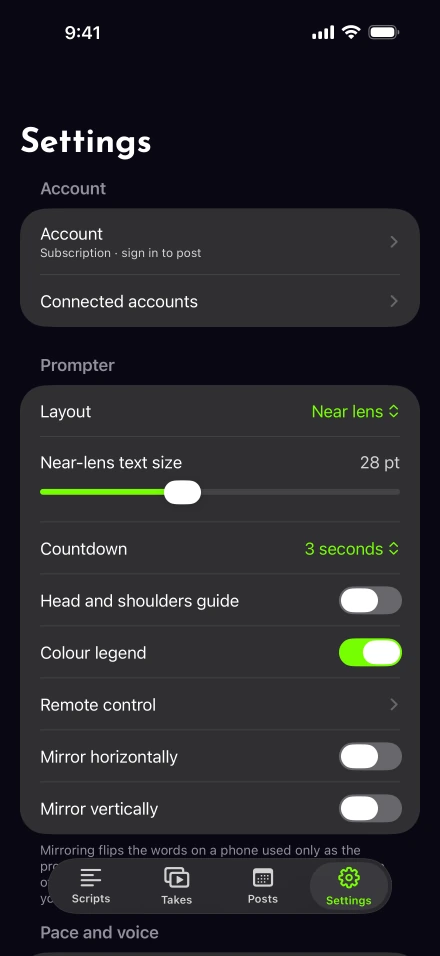
- 4K capture and 60 fps depend on the selected camera. When a combination is unavailable, Lightshot uses the nearest supported recording setting and explains the fallback in Settings.
- 4K and 8K exports appear only when the iPhone can encode those sizes. Demo takes export at their original size.
Template outlines, ordinary delivery marks and the rest of the app do not require Apple Intelligence. The scripts page separates those tools from optional drafting.
Allow the permissions for your task
Recording uses the camera and microphone. Voice-follow and captions need speech recognition. Saving needs permission to add to Photos; a second prompter phone needs local-network access. These permissions serve different jobs, so a missing permission can affect one feature without explaining every issue.
If a tool is unavailable, send support the model, iOS version and exact message. Leave private scripts and account passwords out of your report.