
Written by Lightshot’s maker
Competitor facts were checked on October 8, 2026, on each vendor’s own pages and its US App Store listing; Lightshot’s side comes from the app. This compares documentation, not measured accuracy or speed. “Not found” means we didn’t find it in their documentation, which is weaker than “no”. Prices and plans change.
Captions and Lightshot side by side
| Question | Lightshot | Captions |
|---|---|---|
| US App Store rating (count) | No ratings yet | 4.75 (38,364) |
| Price (USD) | Lightshot Weekly $3.99, Lightshot Monthly $9.99, Lightshot Yearly $59.99; every feature on every plan | App Store: Captions Basic $5.99 a week, $9.99 a month or $64.99 a year; Captions Max $24.99 a month. Web: Max $24.99 a month with 500 credits; Frontier $69.99, $139.99 or $279.99 a month |
| Free plan or trial | No | Yes: a free version with one caption template and a watermark |
| Devices | iPhone, iOS 26.5 or later, plus an Apple Watch remote | Teleprompter on iOS and Android; the editor also on the web and Mac |
| How the script moves | Follows recognized script words at the pace it learns from you | Pace only: “automatically adjusts the teleprompter speed to match your pace” |
| Script by the lens | Yes: one line under the front camera, or a movable panel | Yes: “right by the lens”, scene by scene or continuously |
| Fixing a take | Redo the last sentence: trims back to its start and rewinds the script | “Reshoot specific segments” |
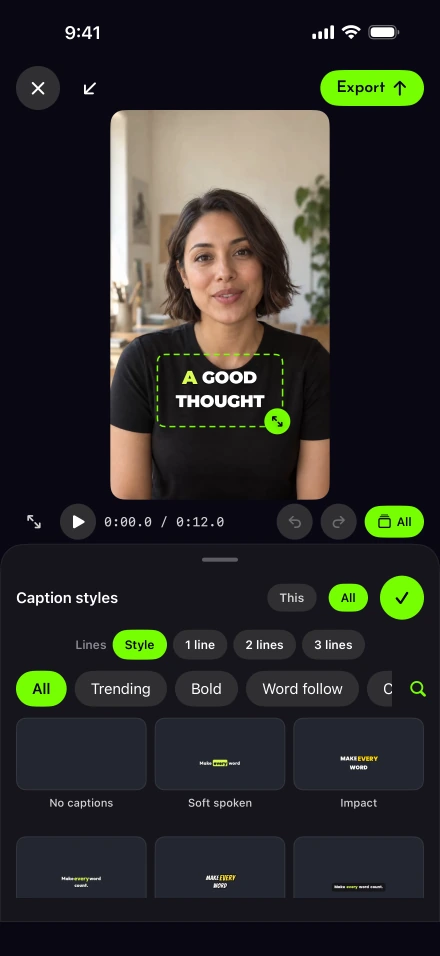
| Automatic captions | Yes, on the iPhone, 111 styles | Yes: the App Store listing says “91+ languages”; its llms.txt file says “100+” |
| Silence and filler cuts | Silence cuts on one tap; filler removal is an English beta | Yes: “trim filler words/pauses” as an AI quick fix |
| Credits | None | AI features spend credits |
| Noise removal | Yes, on the iPhone | Yes: “AI Denoise” |
| AI avatars, dubbing, eye contact | No | Yes |
| Direct posting | Post or schedule to the networks you connect; X through Share | Not confirmed: its llms.txt says videos “can be published directly to TikTok, Instagram, YouTube, and more”, while its publishing help describes export to the device (checked Oct 8, 2026) |
Captions column: its US App Store listing (rating and count from Apple’s lookup service), teleprompter page, pricing page, llms.txt file and publishing help, read October 8, 2026. Its plan names differ between pages: llms.txt says Pro, Max and Scale; the pricing page says Frontier; and the pricing page notes “Features and prices reflect iOS plans only.”
Lightshot’s column comes from the app. The networks you can connect are listed in Settings, Connected accounts; each network has to approve Lightshot first, and TikTok and YouTube posts stay private until those reviews pass. Lightshot has no App Store ratings yet.
Does matching your pace mean following your words?
Not quite. Captions’ teleprompter page says the script sits by the lens and the app adjusts its speed to match your pace. That is a speed that follows you, which differs from a prompter that knows which word you’ve reached. The page also lets you choose scene by scene or continuous scrolling.
Lightshot’s voice-follow corrects its place on each recognized script word and holds at the next unread word during an ad-lib. With sentence redo, the recording is cut back as the script returns to that sentence. No accuracy test between the two apps is claimed here.
Where the editing differs
Tap Auto edit after a Lightshot recording to cut silences and add captions on the iPhone. Filler-word removal is an English beta, off until you switch it on. The editor then works on that one take: text, music, a voice-over, looks and shapes.
The Captions listing describes AI editing, generated presenters and dubbing, and its AI tools spend credits. If a project needs an avatar, an AI Twin or another spoken language, those are reasons to choose Captions. Lightshot translates English captions into text in another language and leaves your voice as recorded.
Where Captions may fit better
Captions covers more ground with AI: an AI Edit, a chat-based editor, AI Twin and avatars, eye-contact correction and dubbing. It also has a free version, and its editor runs on the web and Mac as well as the phone. Lightshot is iPhone only and has no free plan.
If you mix phone recordings with desktop editing, or your videos are built from generated scenes, Captions is the closer fit.
Where Lightshot may fit better
Lightshot is narrower on purpose: your own face and voice, a script that follows your words, and a finish that uses no credits. Its captions come from what the iPhone heard, and the script fixes spelling and punctuation only where it agrees with what you said. Check Captions’ pricing page for the credits included in the plan you’d use before comparing a monthly total.
Before deciding, read the privacy policy on what stays on the iPhone and what posting uploads, and the export page for the shapes and sizes Lightshot makes.